Privacy Policy for Mobile App: How to Write One That Passes App Store Review
A privacy policy for mobile app owners isn’t optional: any iOS or Android app that collects personal or device data needs one. Apple and Google both want a public policy URL before you can publish, and privacy laws back that up.
Below you’ll find every required section, a side-by-side look at Apple’s and Google’s disclosure rules, and a copy-ready mobile app privacy policy template you can edit for your own app.
If your app collects user data, a privacy policy isn’t optional. That’s true for a free puzzle game that runs ads, a SaaS companion, and a paid fitness tracker alike.
According to UNCTAD, 137 of 194 countries now have data protection and privacy legislation, so skipping this document isn’t an option. Data breaches can damage brand trust, and non-compliance can lead to fines reaching millions of dollars.
This guide is about mobile apps and getting through store review. If you need broader policy samples or guidance for SaaS products, see our SaaS privacy policy guide and our privacy policy example roundup.
Do You Legally Need a Privacy Policy for a Mobile App?
Yes. If your app collects any personally identifiable information, device identifiers, or usage data, you need a published privacy policy. Three common situations show how this plays out:
- A to-do list app that syncs emails and reminders collects contact details and other personally identifiable information the moment someone creates an account.
- A free game monetized by ads uses advertising IDs (like Apple’s IDFA or Android’s ad ID) to serve personalized ads. Even though no names are collected, device-level identifiers generally count as personal data.
- A fitness tracker that stores heart rate data handles sensitive information, so both health-related and general data privacy laws can apply. HIPAA applies only if the app works with a covered entity or business associate, such as a health provider or health plan.
Even apps that only collect crash logs or analytics still gather an anonymous unique identifier and log data tied to a device. The stores want a privacy policy URL no matter how little data you collect. And a regulatory investigation can disrupt operations, while non-compliance can cost a business valuable contracts.
For the legal basics behind any policy, see our data privacy policy guide. For a full GDPR breakdown, see our GDPR compliant privacy policy guide. For California-specific clauses, see our California privacy policy template.
Core Data Practices: What Your App Collects, Uses, and Shares
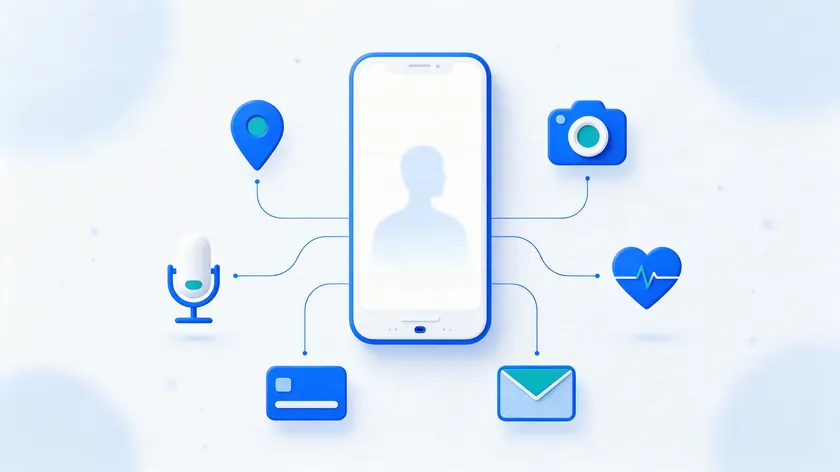
Your policy has to describe every category of data your app collects, why you collect it, and how you use it. Typical categories for mobile apps include:
- Identifiers: device IDs (IDFA, IDFV on iOS, Android advertising ID), UUIDs, account credentials
- Contact info: email, phone number, mailing address
- Location data: precise GPS, approximate location, background vs. foreground collection
- Usage and diagnostics: crash logs, performance metrics, session duration, feature usage
- Health and fitness: heart rate, step counts, sleep data
- Media access: camera, microphone, photos
- Financial details: credit card info, in-app purchase history, payment processing tokens (if the app sells physical goods, see our online store privacy policy guide)
For each type, state the purpose: “We collect device identifiers to deliver personalized ads” or “We use crash logs to improve app stability.” Mobile apps are required to state how long user data is retained and how users can request deletion.
For example, you might retain crash logs for 90 days and usage data for 12 months before deletion or anonymization.
Say where the data lives: on the device, on cloud servers, or both. Then describe how you protect it. Encryption at rest and in transit, access controls that limit which team members can see user data, and routine audits are all worth mentioning.
Keep data minimization in mind: if a feature doesn’t need camera access, don’t ask for it. Collect only what each feature actually uses.
Essential Sections Every Mobile App Privacy Policy Should Include
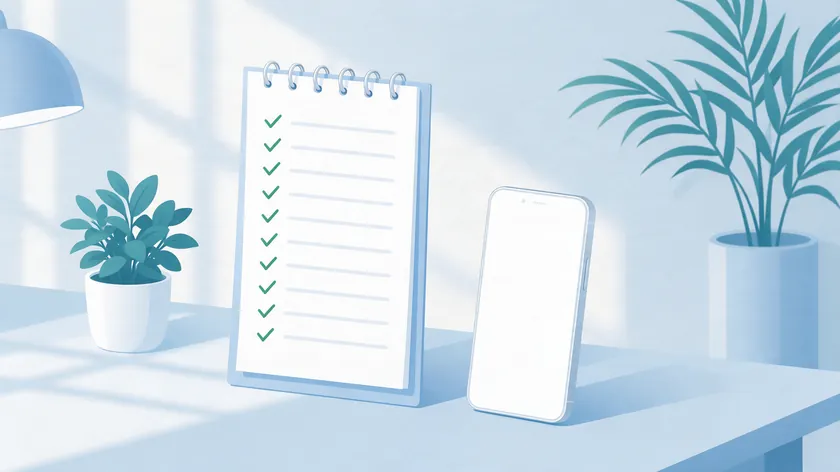
Think of this as a checklist of the standard clauses. Write each one in plain language and be specific about what you collect and how you use it.
- Introduction and scope—State who operates the app, what platforms it runs on, and that this policy applies to data handling within the app.
- Data collection overview—List every type of personal data and personal identifiable information the app collects.
- How data is used—Map each data type to a purpose (e.g., “email address: account authentication and password resets”).
- Data sharing and third parties—Name the categories (or companies) you share data with and why. Explain what each third party does with the data it receives.
- Cookies and mobile identifiers—Explain use of advertising IDs, session tokens, and similar trackers.
- Data security and access controls—Summarize encryption, access limits, and incident response. Be upfront that no method of electronic storage or transmission is 100% secure, so you can’t guarantee absolute security.
- Data retention—Provide concrete timeframes.
- User rights and choices—Cover the right to access, correct, or delete personal data under applicable laws, and the right to opt out of data sharing.
- International transfers—If you store EU user data on US servers, say so.
- Children’s privacy—State the minimum age and your approach to children’s data.
- Changes to this policy—Commit to notifying users of material changes.
- Contact details—Provide an email address or form for privacy questions.
Avoid vague phrases like “we may use your data at our discretion.” Specialized clauses for email marketing, blogs, or online stores are covered in the privacy policy example roundup linked above.
App Store vs Google Play: Privacy Policy and Disclosure Requirements
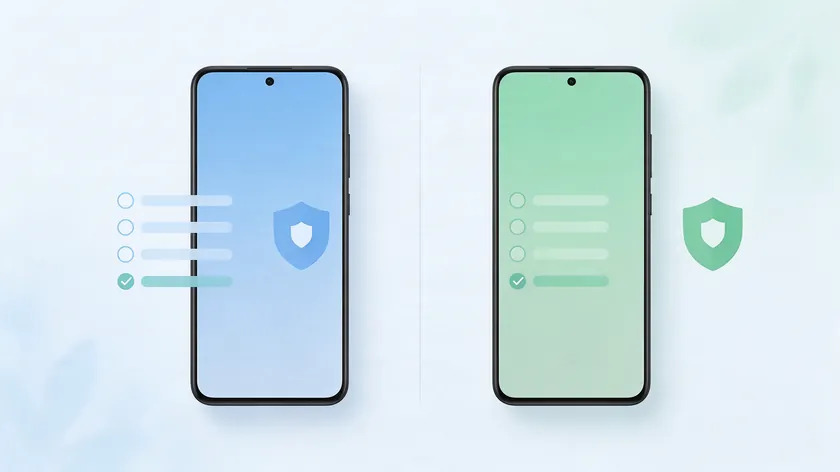
Your privacy policy has to match what you declare in your store submission, or you risk rejection. Apple’s 2025 transparency report shows it rejected 2,093,244 of 9,100,620 submissions reviewed (about 23%), and the Legal category, which includes privacy, accounted for 495,673 of the guideline citations.
A study of 354,725 iOS apps found that 88.0% of apps with both a privacy policy and a privacy label had at least one possible discrepancy between the two.
Apple App Store Requirements
Under its App Review Guidelines, Apple requires a public privacy policy URL in your App Store Connect metadata and an in-app link (typically in the app’s settings menu or About screen).
You also have to complete the App Privacy details, often called “privacy nutrition labels,” declaring each type of data you collect, whether it’s linked to the user’s identity, and whether it’s used to track users across other apps.
If your app tracks users for advertising, implement the AppTrackingTransparency API and get explicit opt-in consent before any tracking begins. Health apps and kids’ apps face additional rules in the guidelines (sections 5.1.3 and 5.1.4, plus section 1.3 for the Kids Category).
Google Play Requirements
Under its User Data policy, Google Play requires a privacy policy link in the Play Console listing and inside the app itself.
You must also complete the Data Safety form, declaring all types of user data collected or shared, the purpose of each, your data storage and data processing practices, and whether users can request deletion.
Sensitive permissions (location, SMS, call logs, camera, contacts, microphone) typically involve a runtime prompt, and Google also requires a prominent in-app disclosure and affirmative consent when collection falls outside what users would reasonably expect. Navigating away from that disclosure, whether by tapping away or pressing back or home, does not count as consent.
iOS vs Android Comparison Table
Here’s how the two stores compare, side by side, before you submit your app.
| Topic | Apple App Store | Google Play Store |
|---|---|---|
| Policy URL location | Privacy Policy URL field in App Store Connect | Privacy Policy field in Play Console + Data Safety form |
| Data disclosure format | Privacy labels (nutrition labels) | Data Safety section |
| Tracking consent | AppTrackingTransparency API (opt-in) | In-app disclosure + runtime permission (affirmative consent) |
| Children’s data | Kids category with strict limits on identifiers and tracking | Families Policy; Designed for Families program |
| Permission prompts | NS* purpose strings in Info.plist | Runtime permission + pre-prompt disclosure |
| Account deletion | Required in-app for apps with account creation | Required in-app and through a web link entered in Play Console |
| Enforcement style | Pre-publication review; rejection with specific guideline citation | Pre-publication review plus ongoing enforcement of policy violations |
Data Privacy Laws That Commonly Affect Mobile Apps
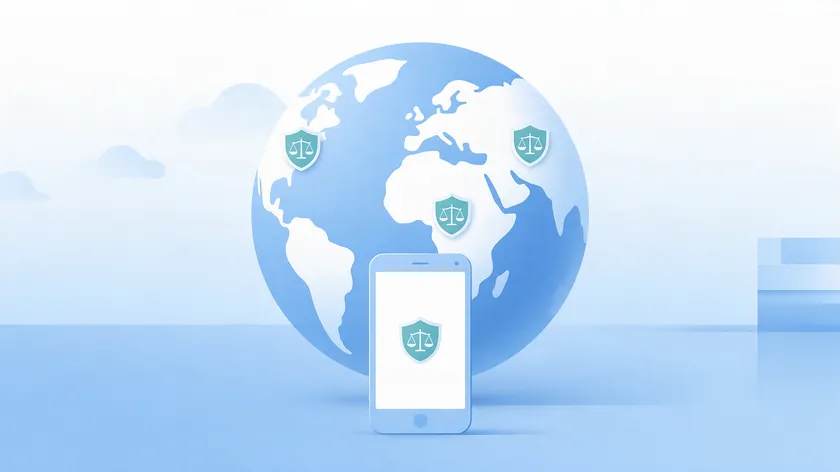
Privacy laws require apps to disclose their data practices. Three matter most for mobile developers: GDPR, CCPA/CPRA, and COPPA. Explaining your practices clearly lowers your legal and reputational risk.
GDPR for Mobile Apps
The General Data Protection Regulation applies to any app that offers services to people in the EU or monitors their behavior, regardless of where the business is located. If your app processes personal data of EU residents, you need to:
- Identify a lawful basis for each type of data processing (consent, contract performance, or legitimate interest).
- Build consent flows into the app (e.g., a consent dialog at first launch for non-essential analytics).
- Honor data subject rights: users can access their data, ask for corrections, invoke the “right to be forgotten” to have their data deleted, and request data portability.
- Conduct a Data Protection Impact Assessment (DPIA) when processing is high-risk, such as large-scale health data or extensive profiling. Article 35 of the GDPR sets out when a DPIA is required.
In practice, that means a consent screen at first launch, a way for users to export or delete their data, and a documented lawful basis for every data type in your policy.
CCPA and CPRA for Mobile Apps
The California Consumer Privacy Act, as amended by CPRA, affects apps that meet revenue or data-volume thresholds. Businesses that sell or share personal information must provide a clear “Do Not Sell or Share My Personal Information” link, and users have the right to opt out of that sharing.
If your app shows personalized ads, you’re likely “sharing” personal data for targeted advertising under CCPA’s definitions. Your policy needs to say so and give users a way to opt out.
Other Privacy Laws and Cross-Border Data
Canada’s PIPEDA, Brazil’s LGPD, the UK GDPR, and Australia’s privacy law all impose similar transparency obligations. For detailed GDPR guidance, see the guide linked above.
If your servers are in the US but your users are in the EU, describe those cross-border data flows in your policy, along with the safeguards you use (e.g., standard contractual clauses).
Under the GDPR, your obligations depend on where your users are, not where your servers sit.
Handling Permissions and Sensitive Data (Location, Camera, Contacts, Push)
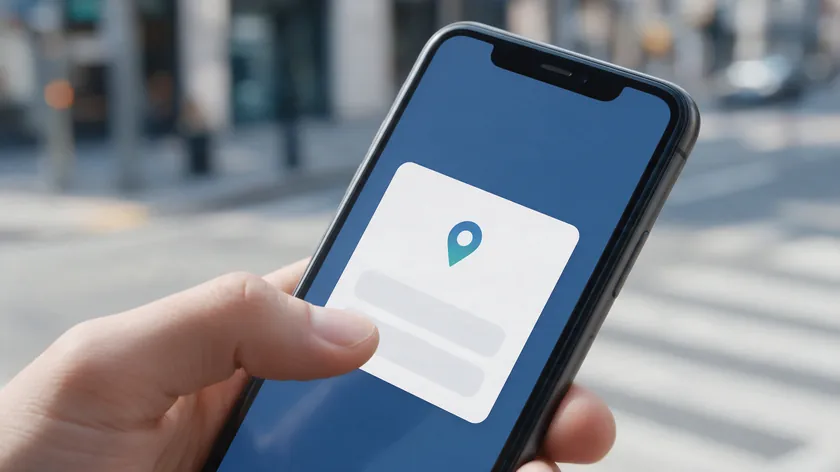
Some permissions draw extra scrutiny from both app stores and regulators. What your policy says about each one has to match what the in-app prompt says. The most scrutinized permissions include:
- Location (foreground and background): say exactly why the app needs it. “We access your foreground location to show nearby restaurants” is acceptable; requesting background location for a calculator app is not.
- Camera and photos: state whether images are stored locally, uploaded to servers, or processed by third-party code for features like OCR.
- Microphone: disclose if audio is recorded, streamed, or processed only on-device.
- Contacts: if used for a friend-finder feature, say so. Consider offering manual contact entry as a less intrusive alternative.
- Health sensors: heart rate, step counters, and sleep tracking fall under sensitive data categories. HIPAA may also apply if the app works with a healthcare provider or health plan.
- Push notifications for marketing: disclose if push tokens are used for promotional messaging and provide users with a way to opt out.
Let users keep using core features even when they deny non-essential permissions. If a user revokes camera access, photo-related features can be disabled while the rest of the app keeps working.
Third-Party SDKs, Analytics, Ads, and Data Sharing
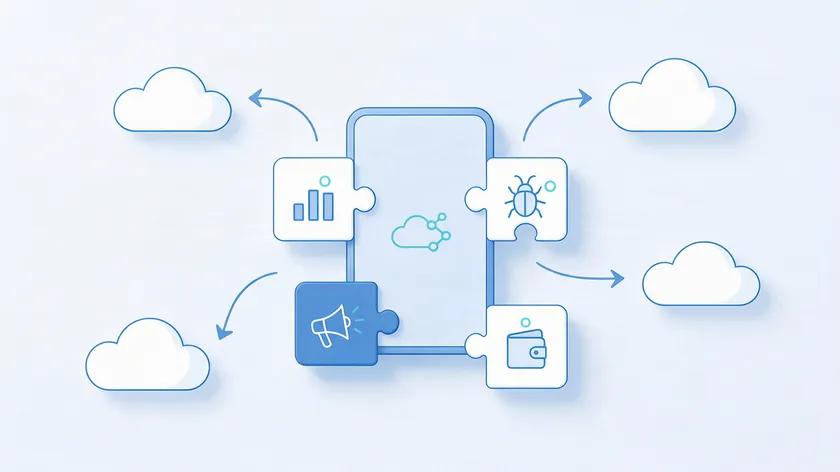
Most mobile apps rely on third-party companies for analytics, advertising, crash reporting, and payment processing. Each SDK you integrate can collect data on its own, and your policy has to say so. Leave a third-party service out and you risk store rejection and legal trouble.
Common SDK categories and examples:
- Analytics: Firebase Analytics and Google Analytics for Firebase collect device model, OS version, session data, and an anonymous unique identifier.
- Crash reporting: Crashlytics receives crash logs, stack traces, and device state at the time of the crash.
- Advertising: AdMob collects advertising IDs, approximate location, and usage patterns to serve targeted ads.
- Payment processing: Stripe, RevenueCat, or similar processors handle financial details and transaction records.
- Social login: Meta SDK or Sign in with Apple may receive profile data, email, and an authentication token.
For each provider, clarify whether it acts as a data processor (performing tasks assigned by you) or as a separate data controller. You’re responsible for making sure users know about all data sharing, including data passed to third-party libraries and to sites linked from within the app.
A peer-reviewed study of Apple privacy labels found that 97% of apps with a “Data Not Collected” label had a privacy policy indicating otherwise. To avoid that gap, audit every SDK in your project and check its data practices against your policy text.
Children’s Data, COPPA, and Age Gates in Mobile Apps

Apps directed at children under 13, or that knowingly collect information from them, trigger extra obligations under COPPA. Your policy must:
- State the minimum age for using the app.
- Describe how you obtain verifiable parental consent before collecting data from children.
- Limit data collection to what is strictly necessary.
- Restrict data sharing for ads and analytics. Children’s sessions should not feed into behavioral advertising.
- Provide parents with the ability to review and immediately delete their child’s data.
If your app is meant for a general audience but may attract younger users, add an age gate at sign-up or first launch. Your policy should also say that you’ll delete a child’s data immediately if you discover you collected it without consent.
Both Apple and Google maintain separate “Kids” categories. Listing in these categories demands even stricter limits; Apple’s Kids Category, for example, generally bars third-party analytics and advertising.
Under GDPR, children’s consent thresholds vary by EU member state (ranging from 13 to 16), so apps serving EU users should check the GDPR guide linked above for specifics.
Where to Publish and Link Your Mobile App Privacy Policy
Users should be able to find your policy inside the app and on your store listings. A policy nobody can find doesn’t help anyone.
Where to Add the URL in Each Store
For Apple, enter the URL in the Privacy Policy URL field in App Store Connect. For Google Play, paste it in the Privacy Policy field in Play Console and reference it in the Data Safety form. Include a link to the privacy policy in the app store description as well.
Linking the Policy Inside Your App
Place a link in the app’s settings menu, About screen, or Legal section. During sign-up or onboarding, present the policy link before the user creates an account. Letting users reach the policy at any time builds trust and helps you meet both store and regulatory requirements.
Hosting the Policy on a Stable URL
Host your policy on a stable, public HTTPS URL on your website or a dedicated legal page. Google Play does not accept PDFs or non-webpage files.
The URL shouldn’t require a login or be blocked by geofencing. For web-to-app products, keep the web and mobile policies consistent, noting any clauses that apply only to the app version. If you run a small team, our privacy policy for small business guide covers the basics of publishing and maintaining the page.
Checklist: Make Your Mobile App Privacy Policy Store-Ready
Run through this list before every app submission:
- [ ] Every data type the app collects (including via SDKs) is disclosed in the policy
- [ ] App Store privacy labels and Google Play Data Safety answers match the written policy
- [ ] Permission prompts in the app match the purposes stated in the policy
- [ ] Data retention periods are stated with concrete timeframes
- [ ] Security measures (encryption, access controls) are described
- [ ] Users can request deletion of their data via a documented process
- [ ] User rights under GDPR (access, erasure, portability) and CCPA (opt out, deletion) are referenced where relevant
- [ ] Children’s data statement is included
- [ ] Contact email and “Last updated” date appear in the policy
- [ ] A link to each SDK provider’s own privacy policy is included or referenced
- [ ] The policy is accessible from a live HTTPS URL, in-app, and in the store listing
Before you launch, walk through every screen where the app collects data and confirm the policy covers it. That one step catches many common rejection triggers.
Mobile App Privacy Policy Template (Clause-by-Clause)
Here’s a copy-ready sample for a fictional mobile app called “TrackFit.” Edit the names, dates, data types, and third-party services to match what your app really does. It covers the key elements for both iOS and Android.
Who We Are
TrackFit is operated by TrackFit Inc., 123 Main Street, Austin, TX 78701. This legal document governs how we collect, use, and protect user data in the TrackFit mobile app available on iOS and Android.
What This Policy Covers
This policy applies to all personal data processed through the TrackFit app. It does not cover external sites or third-party sites linked from the app. Last updated: March 15, 2026.
Information This App Collects
The TrackFit app collects the following data: email address and name (account creation), heart rate and step count (fitness tracking), approximate location data (workout mapping), device identifiers (analytics and diagnostics), and log data including crash reports.
How We Use Your Information
We use your data to provide and improve the TrackFit service, deliver workout summaries, provide users with personalized recommendations, and maintain app stability. We use commercially acceptable means to protect your data. We do not use collected data for purposes unrelated to the app’s core features.
Data Sharing and Transfers
We share limited data with the following third-party companies for service-related purposes: Firebase Analytics (device ID, session data) for usage analytics; Crashlytics (crash logs, device state) for stability monitoring; Stripe (payment tokens) for subscription payment processing.
Each provider acts as a data processor, performing tasks assigned by TrackFit Inc. We do not sell personal data. We’ll tell you if these providers change.
Data Retention
Crash logs are retained for 90 days. Usage analytics are retained for 12 months. Account data is retained until you delete your account. After deletion, we anonymize residual data within 30 days. Data storage uses encrypted cloud servers in the United States.
Your Rights and Choices
Users have rights to access, correct, or delete their personal data based on applicable laws. Under GDPR, you may request access, correction, deletion, or portability of your data.
Under CCPA, you may opt out of data sharing and request deletion. Contact privacy [at] trackfit [dot] example [dot] com to exercise any right. We will respond within 30 days.
Data Security and Access Controls
We use encryption in transit (TLS 1.3) and at rest (AES-256). Access to user data is restricted to authorized personnel. No method of electronic storage is 100% secure; we cannot guarantee absolute security, but we apply commercially acceptable means to protect user data.
Children’s Privacy
TrackFit is not directed at children under 13. We do not knowingly collect information from children. If we learn that a child under 13 has provided us with personal data, we will immediately delete that information. Parents may contact us to request deletion.
Changes to This Policy
We will notify users in-app before material changes take effect. The updated policy will be posted at trackfit [dot] example [dot] com/privacy with the new effective date. We update this policy as our data practices change.
How to Contact Us
Email: privacy [at] trackfit [dot] example [dot] com Mail: TrackFit Inc., 123 Main Street, Austin, TX 78701
Key Takeaways
- Explain what data your app collects (email, device IDs, location data, camera photos) and why, or state that the app collects no personal data.
- Include specific disclosures for data sharing with third-party SDKs for analytics, ads, crash reporting, and payments, naming each provider and their role.
- Cover GDPR, the California Consumer Privacy Act (CCPA/CPRA), and COPPA for children’s data in concise, app-focused language.
- Fill in Apple App Store privacy labels and the Google Play Data Safety form consistently with the written policy to avoid rejection during app submission.
- Adapt the clause-by-clause template above to your app’s real privacy practices before publishing.
Want a policy tailored to your app, with the store disclosures covered above? Generate yours with the Termify Privacy Policy Generator.
FAQ
Do you need a privacy policy for an app if it’s free or collects very little data?
Yes. App stores evaluate data collection and data handling, not pricing. A free game with ads has the same obligations as a paid productivity app because advertising SDKs collect device identifiers and usage data.
Even if your app only gathers crash logs, Apple and Google both require a published policy URL. And a clear policy builds trust whether the app is free or paid.
How do you legally protect your mobile app beyond just a privacy policy?
A privacy policy is only one of the documents your app needs. Pair it with Terms and Conditions (covering acceptable use, liability limits, and intellectual property) and, if it applies, an end-user license agreement.
Then back the paperwork up with real security measures: secure coding practices, encrypted data storage, and an incident response plan.
Access controls that limit who on your team can view user data reduce exposure. Together with a solid privacy policy, these steps show regulators you take data protection seriously and lower your risk in a review.
What app permissions should you avoid or limit from a privacy perspective?
Skip background location, SMS access, call logs, and continuous microphone access unless your app’s core functionality depends on them. Each one raises red flags during store review and increases your exposure under data privacy laws.
Design features around less intrusive alternatives: manual address entry instead of background GPS tracking, or a photo picker instead of full camera-roll access.
If you do need a high-risk permission, state the specific reason in your policy and in the runtime prompt so users can make an informed choice. Only collect what you’ve said you’ll collect.
How often should a mobile app privacy policy be updated?
Review it at least once a year. Update it whenever you add a new SDK, change a data sharing partner, expand data collection, or when privacy regulations change.
Tell users about material changes before they take effect: notify them in-app with a summary of what changed and a link to the full policy.
Keep the “Last updated” date at the top of the policy current so users and store reviewers can see your disclosures are up to date.
Can you use the same privacy policy for iOS and Android?
One policy can cover both platforms as long as it matches what the app actually collects on each. If the iOS version uses Apple’s IDFA and the Android version uses Google’s advertising ID, the policy should reference both.
Fill in the App Store privacy labels and the Google Play Data Safety form separately for each platform so users see accurate disclosures on both stores. Reviewers look for consistency between your written policy and each store’s structured disclosure.